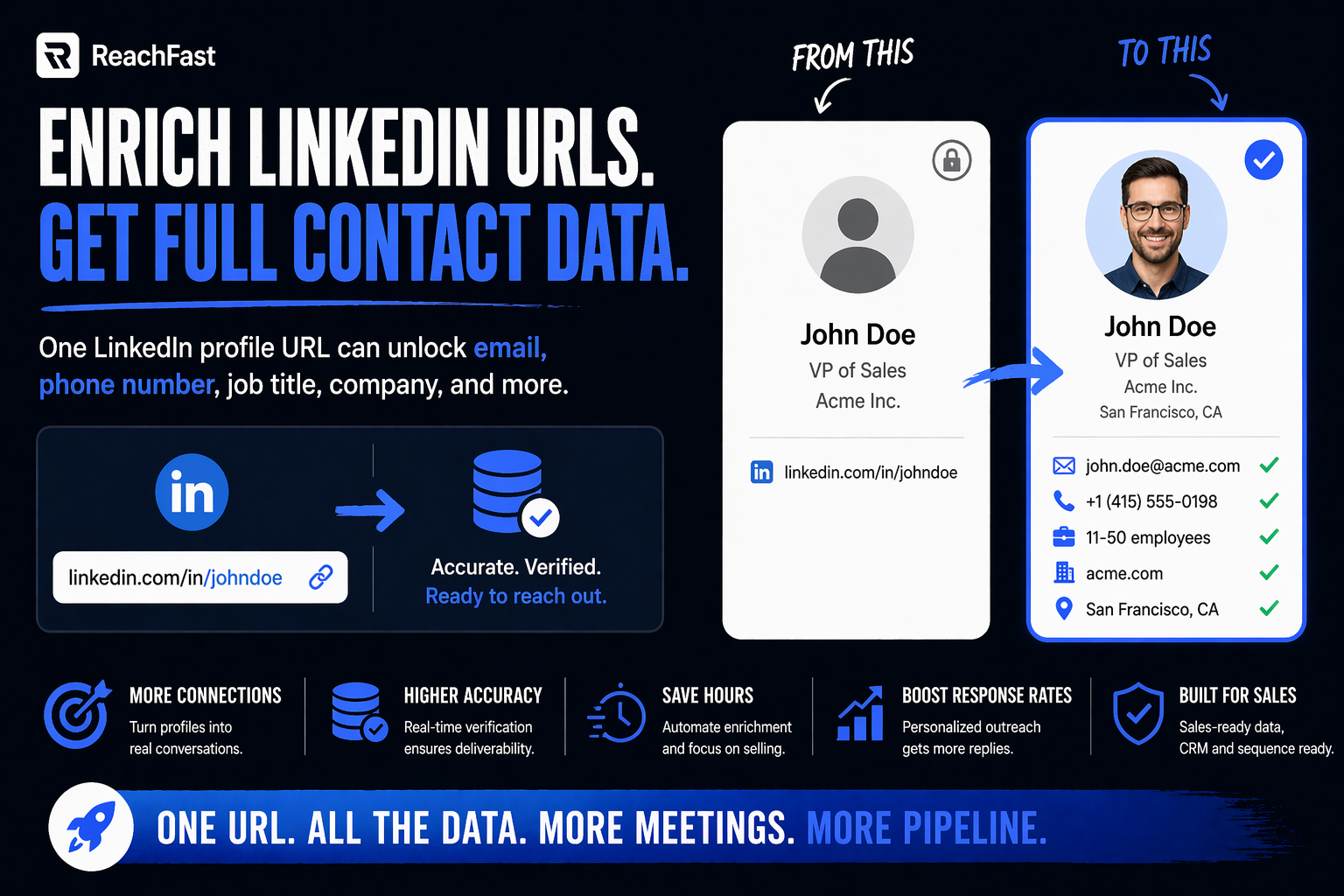
You’ve got a spreadsheet. Column A holds 500 LinkedIn URLs your team pulled from Sales Navigator, a scraper, or an imported account list. Column B is empty. Meanwhile, your AEs are waiting on direct dials, your SDRs are waiting on emails, and your campaign launch is Monday.
So the job is simple: enrich LinkedIn URLs at scale, add verified phone numbers and work emails, then push the cleaned list into your sequencer or dialer. However, getting it done in 20 minutes instead of 2 days is the gap between shipping the campaign and pushing it another week.
This tutorial walks you through the six-step workflow RevOps teams and agency owners run to turn a raw CSV of LinkedIn URLs into a ready-to-dial list. Plus, you’ll see the tool trade-offs, common mistakes, and a prep checklist that cuts match rate failures by half.
Quick Take (For the Busy Reader)
- Single-source tools hit 40-60% match rates. Meanwhile, waterfall tools hit 80%+ by querying 7-20+ data sources in sequence.
- Sales Navigator exports give you name, title, and company only. Phone and email come from a separate enrichment pass.
- A clean CSV with LinkedIn URL + full name + company gets 15-25% better match rates than a messy one.
- For a 500-contact list, the full workflow takes 20-40 minutes end to end.
- Verification at export (not after) keeps bounce rates under 2% and protects your sender reputation.
What CSV enrichment actually does
First, a quick frame. Enrichment means taking a thin record (just a LinkedIn URL, maybe a name) and filling in the fields you actually need: work email, direct dial mobile, job title, company, company size, and so on.
Meanwhile, Sales Navigator itself doesn’t give you phone numbers or verified emails. It returns names and profile URLs. So a separate pass through an enrichment tool is always needed if you want to run outbound that includes calls or cold email.
Plus, data decays. Per 2026 benchmarks, B2B contact data rots at 22.5% per year, or roughly 2.1% per month. So enrichment isn’t a one-time action. Rather, it’s a rolling part of a RevOps or agency workflow.
Before you start: the prep checklist
Here’s what to line up before you upload anything. In fact, skipping prep is the top reason match rates disappoint.
- Clean CSV, one row per contact. Dedupe on LinkedIn URL.
- Minimum columns: LinkedIn URL, first name, last name, company.
- Optional but powerful columns: job title, location, industry, company size.
- Target list size: aim for 100-2,000 contacts per pass. Bigger lists still work but run slower.
- Enrichment tool account with enough credits for your list (phone enrichment usually costs more credits per record than email).
- Destination chosen: CRM, sequencer, dialer, or just a clean CSV back.
- Compliance check: if you’re targeting EU, the tool should meet GDPR, CCPA, and DSGVO rules.
Key takeaway: 80% of your output quality is set by your input. So spend 5 minutes cleaning before you upload.
The 6-step tutorial to enrich LinkedIn URLs
Step 1: Clean and prep your CSV
First, open your CSV in Google Sheets or Excel. Then run these five passes:
- Remove rows missing a LinkedIn URL (nothing to match on).
- Strip trailing slashes and query parameters from URLs (e.g.,
?utm_source=...). - Dedupe on LinkedIn URL.
- Split “Full Name” into first and last name columns if needed.
- Add a company column if missing.
Also, save the file as UTF-8 CSV. Otherwise, special characters in names (accents, umlauts) break on upload.
Step 2: Pick a waterfall or single-source tool
Next, choose your tool based on match rate needs. Single-source tools pull from one database. They’re fast and cheap, but match rates cap around 40-60%. Meanwhile, waterfall tools query 7 to 20+ sources in sequence. So if the first source misses, the next one fills in. Match rates climb to 80%+ as a result.
| Approach | Typical match rate | Best for |
|---|---|---|
| Single-source (Hunter, Lusha, Apollo direct) | 40-60% | Small lists, casual use |
| Waterfall (ReachFast, Clay, FullEnrich) | 80%+ | RevOps, agency, monthly refreshes |
For enriching LinkedIn URLs specifically, a waterfall tool with a LinkedIn-native input is the fastest path. ReachFast, for instance, accepts a CSV of LinkedIn URLs directly, runs a 7+ source waterfall, and verifies every email and phone in real time at export. Plus, credits refund on their own when data is bad, so you’re not paying for bounces.
Step 3: Upload and map columns
Then upload the CSV to your enrichment tool. Most platforms ask you to map columns during upload:
- Your “LinkedIn URL” column → tool’s “LinkedIn URL” field
- Your “First Name” column → tool’s “First Name” field
- And so on for each column
Meanwhile, double-check the preview. For instance, if your LinkedIn URLs sit in column B but the tool reads column A, the whole run fails silently. So confirm the preview before hitting start.
Step 4: Run the enrichment
After mapping, launch the run. For a 500-contact list, waterfall enrichment usually takes 5-15 minutes. In contrast, single-source tools finish faster but return fewer matches.
While it runs, don’t close the tab (most tools tolerate it, but some don’t). Also, keep an eye on credit burn. Some tools charge for every attempt, even unsuccessful ones. On the other hand, credit-refund models charge on hits but refund on verification failures.
Step 5: Verify at export, not after
Once the run completes, export the CSV. However, here’s where most teams slip up. They skip verification, thinking the tool already handled it.
In fact, real-time verification at export is the gap between a 1% bounce rate and an 8% bounce rate. Every email should pass an SMTP check before it leaves the tool. Plus, phone numbers should be flagged as mobile vs landline vs disconnected.
For instance, ReachFast verifies every email and phone in real time at export, hitting 97%+ email accuracy and 92%+ direct dial accuracy. In contrast, tools that verify on a weekly batch schedule return data that may already be 5-7 days stale.
Step 6: Push to your CRM, sequencer, or dialer
Finally, route the enriched CSV to wherever outbound happens:
- CRM (Salesforce, HubSpot, Pipedrive): import as new leads or update existing records.
- Sequencer (Outreach, Salesloft, Apollo, Lemlist): upload straight into a campaign.
- Dialer (Orum, Nooks, ConnectAndSell, CloudTalk): feed the direct dial column into the power dialer.
- ABM platform (6sense, Demandbase): sync account-level data for scoring.
Also, tag the list with an enrichment date. That way, you know when to re-enrich. For high-mobility sectors like tech and startups, re-enrich monthly. For stable sectors like manufacturing, quarterly is fine.
Workflow variations: RevOps vs agency owners
The core 6-step flow stays the same, but the setup shifts based on who runs it.
For RevOps teams
First, RevOps owns the rhythm. So set up a monthly or bi-weekly refresh on the same day (e.g., first Tuesday) and treat it like payroll.
Then, automate the pipeline:
- Sales Navigator saved search → weekly CSV export.
- Enrichment tool runs on new records only.
- Verified contacts push to CRM with an “enriched on” timestamp.
- SDRs see fresh leads in their work queue Monday morning.
Plus, build a dashboard that tracks match rate, bounce rate, and connect rate by enrichment source. Meanwhile, if match rate drops below 70%, switch source or tool.
For agency owners
In contrast, agencies run enrichment per client. So each client gets its own CSV, its own credit bucket, and its own tagging scheme. Also, client invoices often hinge on how clean the data is.
That’s why the refund-on-bad-data model matters here especially. If you charge the client $2 per verified contact but 30% bounce, your margin evaporates. Meanwhile, a tool that refunds credits on bad data keeps the margin intact. Plus, month-to-month pricing (like ReachFast’s $39.99 start) fits agency cash flow better than yearly lock-ins.
Common enrichment mistakes
Avoid these and your first run lands at 80%+ usable contacts.
Uploading dirty data
First, messy CSVs kill match rates. Mixed-case LinkedIn URLs, trailing slashes, missing first names, and duplicate rows all drag results down. So spend the 5 minutes to clean before you upload.
Skipping verification
Next, some teams trust the first output and send. However, a “valid” email from a weekly-batch verifier is different from one verified in real time at export. In fact, the gap is 5-7 days of decay, which is enough to push bounce rate above 3%.
Using a single-source tool for RevOps-scale work
Then, if you’re enriching 1,000+ contacts a month, a single-source tool hits its match-rate ceiling fast. Instead, use a waterfall. The jump from 50% to 80% is basically free pipeline.
Not tagging for re-enrichment
Also, if you don’t tag records with an enrichment date, you lose track of which contacts need a refresh. So tag everything with a timestamp field in your CRM.
Paying for unverified credits
Finally, some tools charge for every attempt, verified or not. On the flip side, tools with auto-refund on bad data shift that cost back to the vendor. For agency owners especially, that model protects margin.
Frequently asked questions
How long does it take to enrich a CSV of 500 LinkedIn URLs?
With a waterfall tool, 5-15 minutes for the enrichment pass plus another 5-10 minutes for CSV prep and export. So budget 20-30 minutes end to end. Meanwhile, single-source tools finish in 2-5 minutes but return fewer matches, which costs you later in manual lookups.
What’s the typical match rate for LinkedIn URL enrichment?
Single-source tools hit 40-60%. Waterfall tools hit 80%+. Meanwhile, match rates drop for niche industries, non-US geographies, and very junior roles. For senior decision-makers in US tech, expect 85-90% on a clean list.
Do I need Sales Navigator to enrich LinkedIn URLs?
No. Sales Navigator helps you build the list, but enrichment tools only need the URLs. So you can paste LinkedIn URLs from anywhere (Chrome browsing, event attendee lists, podcast guest rosters) into a CSV and enrich.
How many credits does LinkedIn URL enrichment cost?
It varies by tool. Typical ranges: 1 credit for email lookups, 2-10 credits for mobile phone numbers. So a 500-contact list with both email and phone enrichment usually runs 1,500-6,000 credits. In contrast, tools with a refund-on-bad-data model only charge on verified hits, which cuts effective cost by a wide margin.
Is it legal to enrich LinkedIn URLs with phone numbers and emails?
Generally yes for B2B, but rules vary by region. For EU prospects, the tool must meet GDPR rules and you must have a legitimate interest (B2B outreach usually qualifies). For California prospects, CCPA applies. Plus, DSGVO applies in Germany. So check the compliance certs of whatever tool you pick before enriching EU or California lists.
Can I enrich LinkedIn URLs in a Google Sheet directly?
Some tools offer Google Sheets add-ons that enrich in place, which is handy for 10-50 records. For 500+ records, CSV upload is faster and more reliable. Plus, CSV processing usually handles column mapping better than in-sheet add-ons.
How often should I re-enrich my lead list?
Monthly for tech, SaaS, and startups (high job mobility). Quarterly for healthcare, manufacturing, and government (low mobility). Rather than re-enrich the whole list, just re-enrich records older than 90 days. As a result, your credit spend stays easy to plan.
What do I do with LinkedIn URLs that don’t match?
Three options. First, retry with a different tool (another waterfall source might find them). Second, manually look up the email pattern and verify it with a free verifier like Hunter or MailTester. Third, drop the record and move on. For agency workflows, match rate below 70% is the trigger to switch tool or source.
Turn every LinkedIn URL into a verified direct dial
Your Monday campaign doesn’t care that your CSV is messy. So cleaning and enriching LinkedIn URLs has to be fast, accurate, and refund-protected when data turns out wrong.
ReachFast is built for exactly that workflow. Upload a CSV of LinkedIn URLs and get back verified emails and direct dials in one pass, run through a 7+ source waterfall with real-time verification at export. Plus, credits refund on their own when a contact is bad, so you never pay for a dead dial. Month-to-month plans start at $39.99 for 1,000 credits and 100 phone numbers, and new accounts get 5 free verified contacts on signup. Meanwhile, the platform meets GDPR, CCPA, and DSGVO rules for teams enriching EU lists.
For RevOps teams running monthly refreshes, agency owners managing multiple client accounts, SDRs and BDRs building daily queues, recruiters chasing passive candidates, and founders bootstrapping outbound, that means cleaner CSVs, faster launches, and outbound that actually lands.
Sources
- FullEnrich: Sales Navigator for Prospecting 2026
- Lusha: How RevOps Teams Use Sales Navigator
- Surfe: How to Enrich LinkedIn Leads in Bulk
- Cognism: Enrich Sales Navigator Contact Data Workflows
- La Growth Machine: How to Use LinkedIn Sales Navigator
- Evaboot: How to Upload CSV to Sales Navigator
- Stackmatix: LinkedIn Lead Generation Tools 2026
- Cleanlist: How Much Does Bad Data Cost
- RocketReach: B2B Data Accuracy Trends 2026
- SalesRobot: How to Upload a Lead List to Sales Navigator