Most guides on how to find phone numbers on LinkedIn skip straight to “install this Chrome extension.” That’s fine if you’ve already decided to pay for a tool, but it skips two things worth knowing first: what you can actually get for free, and what LinkedIn’s own rules say about how you’re allowed to go about it.
This guide covers both. We’ll walk through the manual methods that cost nothing, explain where they run out of road, and lay out a plain-language compliance checklist so you’re not just fast at finding numbers, you’re not creating a problem for yourself either.
If you’ve already decided you want a dedicated tool and just want the fastest path from a LinkedIn URL to a verified number, our step-by-step walkthrough of the Reachfast workflow covers that in more depth. This article is for the research and compliance side of the problem.
Key Takeaways
- LinkedIn shows a phone number only when a member has added one to their Contact Info and chosen to share it, and only a small share of profiles do this.
- Manual methods (Contact Info, About/Featured sections, mutual connections, direct messages) work occasionally but don’t scale past a handful of prospects a day.
- LinkedIn’s User Agreement bans scraping and unauthorized automation. That’s a separate issue from using a compliant contact-enrichment tool, which queries its own data sources instead of your LinkedIn session.
- Finding a number is not the same as having permission to market to it. Rules like GDPR, PECR, and TCPA depend on where the person you’re contacting is located.
- A short pre-outreach checklist (below) takes two minutes and avoids most of the common compliance mistakes teams make.
What LinkedIn Actually Shows You
Before trying any workaround, it’s worth being clear about what’s visible on a standard profile.
LinkedIn has a Contact Info panel, usually accessed by clicking directly under someone’s name and headline. Members can add a phone number, email, birthday, and website there, but every field is optional, and most people leave phone blank. Even when a number is added, the person can restrict who sees it, sometimes to first-degree connections only.
Beyond Contact Info, some people voluntarily share a number or contact link in their About section, their Featured posts, or a linked personal website, usually founders, consultants, freelancers, and recruiters who want to be easy to reach. That’s about the extent of what LinkedIn surfaces on its own.
How to Find Phone Numbers on LinkedIn Manually: 5 Free Methods
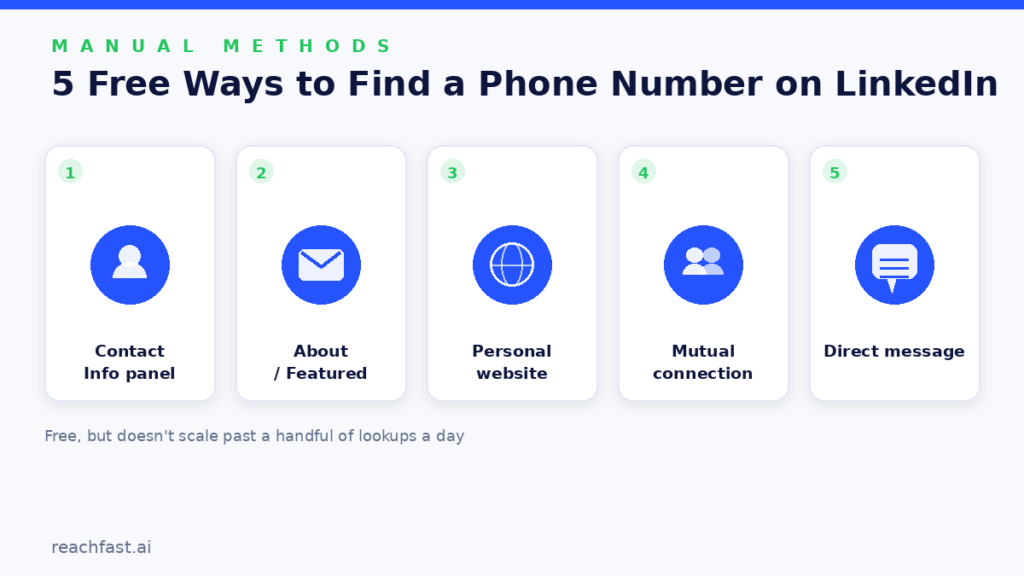
These don’t cost anything beyond time, and they’re worth trying before you reach for a paid tool, especially if you only need a handful of numbers.
1. Check the Contact Info Panel
This is the obvious first step and the only place LinkedIn itself might show you a number directly. Open the profile, click the name/headline area, and look at what’s listed. It works for a meaningful minority of profiles, particularly for people who list a business number rather than a personal mobile.
2. Read the About, Featured, and Experience Sections
Founders and consultants especially tend to leave a number, a Calendly link, or a “text me at” line somewhere in their About section or a Featured post. It’s a slower search than a database lookup, but it costs nothing and the information is often more current than what a third-party database has on file.
3. Check for a Linked Personal Website or Portfolio
Many profiles link out to a personal site, portfolio, or consulting page. Those often have a contact page with a phone number that the person is comfortable sharing publicly, since they put it there themselves.
4. Ask a Mutual Connection
If you share connections with the person, a short message asking for an introduction or a direct number is often faster than any tool. People are generally more willing to hand over contact details through a warm introduction than in response to a cold message.
5. Send a Short, Specific LinkedIn Message
Asking directly, after a brief, relevant message rather than a generic pitch, works better than most people expect. If someone is engaged enough to reply, they’re often willing to share a number for a quick call once there’s context for why you’re reaching out.
Where manual methods fall apart: all five of these work fine for one contact. None of them scale to the 50, 200, or 1,000 prospects a recruiter or SDR team might need to work through in a week. That’s the gap contact-enrichment tools exist to close, and it’s worth reading our comparison of the leading LinkedIn phone finder tools if you’ve hit that wall.
When Manual Research Isn’t Enough
Once you’re past a handful of lookups a day, the math stops working in favor of doing it by hand. A reasonable rule of thumb: if you’re spending more than a couple of minutes per contact just hunting for a number, a contact-enrichment tool will usually pay for itself in reclaimed time within the first week.
The category includes browser-extension tools that overlay contact data directly on LinkedIn profiles, and database-driven platforms you search separately. Either way, the tool should be pulling from its own independently sourced and verified contact database, not scraping your logged-in LinkedIn session. That distinction matters both for reliability (a proper database gets verified over time; a scraped session snapshot doesn’t) and for staying on the right side of LinkedIn’s terms, which we get into below.
For teams that want the fuller picture, our roundup of personal and B2B phone/email finder tools breaks down the difference between consumer people-search services and B2B prospecting platforms, and where a LinkedIn-focused tool like Reachfast fits into that picture.
Compliant Methods vs. Risky Shortcuts
Not every method in this space carries the same risk. Here’s roughly how the common approaches stack up:
| Method | How It Works | Compliance Risk |
|---|---|---|
| Contact Info panel / manual browsing | Reading what the member chose to share | Low. No automation involved. |
| Asking directly via LinkedIn message | Member gives consent to share | Low. Explicit, voluntary consent. |
| Enrichment tool with its own data sources | Matches your LinkedIn URL against a separate, independently built database | Low to moderate. Compliant if the provider sources data lawfully and you use the result within applicable marketing laws. |
| Browser extensions that auto-scrape your session | Reads and extracts data directly from your logged-in LinkedIn account at scale | High. Directly conflicts with LinkedIn’s User Agreement and risks account restriction. |
| Buying pre-scraped contact lists from unverified marketplaces | Bulk data of unknown origin and consent status | High. Often violates both LinkedIn’s terms and data protection law, and accuracy is usually poor. |
The safest posture, and the one most reputable tools in this space are built around, is to use LinkedIn the normal way to identify people, then use a separate enrichment tool that queries its own database rather than your account.
LinkedIn’s Rules, in Plain Language
LinkedIn’s User Agreement prohibits developing or using scripts, bots, crawlers, browser plugins, or other automated means to scrape or copy data from its services, including profiles. It separately bars using bots or unauthorized automated methods to access the platform, add or download contacts, or send messages on your behalf.
That’s a real restriction, and it’s the reason legitimate contact-enrichment tools are built to query their own data sources instead of touching your LinkedIn session directly. It’s also worth knowing the legal backdrop isn’t as simple as “scraping is illegal”: the long-running hiQ Labs v. LinkedIn litigation dealt specifically with whether scraping publicly available profile data violates US computer-fraud law, and the courts narrowed that particular claim without giving anyone a blanket right to ignore LinkedIn’s terms. LinkedIn’s contractual ban on scraping stands on its own regardless of how that case resolved, and using unauthorized automation on your own account is still grounds for restriction or termination.
The practical rule: research on LinkedIn the normal way, and if you need contact enrichment at scale, use a tool that’s transparent about pulling from its own data sources rather than one that promises to auto-extract your LinkedIn account.
A Quick Compliance Checklist Before You Reach Out
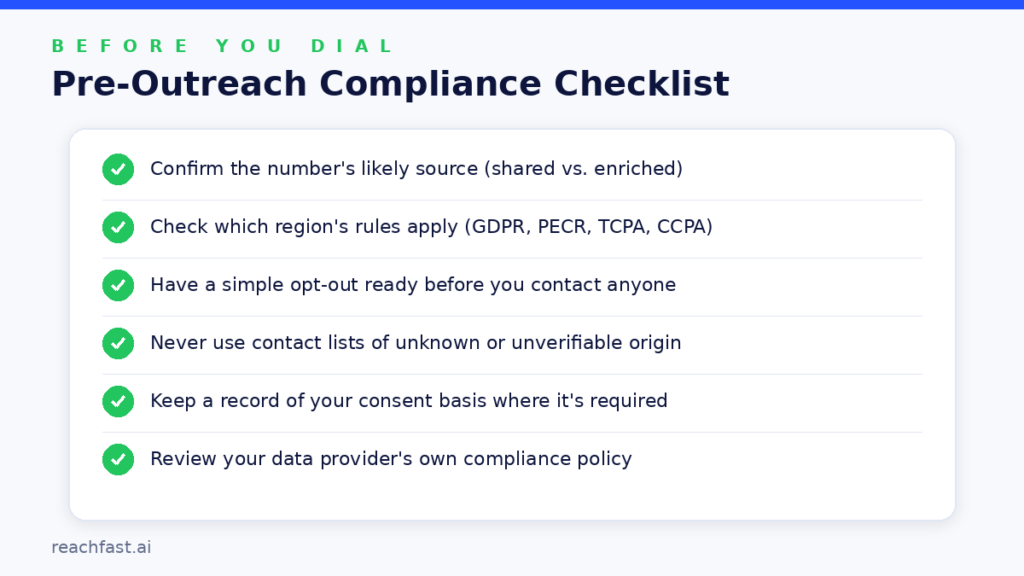
Run through this before you start dialing or emailing a new list:
- Confirm the number’s likely source. Was it publicly shared by the person, or pulled from a verified enrichment database? Avoid numbers of unclear origin.
- Check which region the contact is in. UK and EU contacts fall under GDPR and PECR; US contacts may fall under TCPA and state-level laws like CCPA. Rules on consent and opt-outs differ.
- Have an easy opt-out ready. Whether it’s a call or a text, make it simple for someone to ask not to be contacted again, and honor that immediately.
- Don’t buy or use lists of unknown origin. If you can’t tell how a list was compiled or verified, don’t use it for outreach.
- Keep records of consent basis where required. For markets with stricter consent rules, note why you believed contact was permitted (legitimate interest, existing relationship, etc.).
- Review your provider’s own compliance posture. Reachfast, for example, publishes its GDPR policy covering how it sources and handles contact data.
This isn’t legal advice, and requirements vary by jurisdiction and by how you plan to use the data. If you’re running outreach at meaningful volume, especially internationally, it’s worth a short conversation with counsel familiar with the relevant markets. The UK’s ICO guidance on live marketing calls is a good starting reference if you’re calling into the UK specifically.
Common Mistakes to Avoid
- Treating “found a number” as “have permission to call.” They’re different things, and conflating them is the most common compliance mistake teams make.
- Calling a switchboard and assuming it’s a direct line. Verify whether a number reaches the actual person or a general company line before building a campaign around it.
- Using multiple free trials to string together a full contact list. It technically works for a handful of lookups, but it’s not a sustainable workflow and most providers cap free usage specifically to prevent this.
- Skipping verification on older records. Data decays fast; a number that worked six months ago may not work today.
- Ignoring opt-outs because “it’s just one more call.” This is the fastest way to damage sender reputation and, in some jurisdictions, invite a complaint.
This applies whether you’re a solo recruiter working candidate lists or a staffing agency running outreach at volume: the compliance basics don’t change just because the list gets bigger.
Frequently Asked Questions
Can I find a phone number on LinkedIn for free?
Yes, sometimes. Check the Contact Info panel, the About and Featured sections, and any linked personal website. This works for a minority of profiles and doesn’t scale well, but it costs nothing.
Why doesn’t LinkedIn show phone numbers by default?
Because it’s optional. Members choose whether to add a number to Contact Info at all, and if they do, they can restrict visibility to first-degree connections. Most people simply leave the field blank.
Is using a LinkedIn phone number finder tool against LinkedIn’s terms?
Not inherently. LinkedIn’s terms prohibit scraping and unauthorized automation of your account. Tools that query their own independently sourced contact databases, rather than scraping your logged-in session, operate differently from that prohibition, though you should still review a provider’s methodology if you’re unsure.
What’s the fastest compliant way to find numbers at scale?
Identify the right people on LinkedIn using normal search or Sales Navigator, then run their profile URLs through a contact-enrichment tool built for that workflow. Our comparison of the top LinkedIn phone finder tools covers the main options.
Do I need consent before calling a number I found through enrichment?
It depends on the jurisdiction and the nature of the call. B2B outreach is generally treated differently from consumer marketing, but rules like GDPR, PECR, and TCPA still apply in various forms. When in doubt, check requirements for the specific country or state you’re contacting.
How often should I re-verify phone numbers in my CRM?
There’s no universal answer, but treating contact data as something that needs periodic refreshing, rather than a one-time purchase, matters. Providers that re-verify data every few months tend to hold up better than static lists.
Final Thoughts
Manual research still has a place, especially for a handful of high-value contacts where you want the most current information and don’t mind spending a few minutes per profile. Once you’re working through real volume, a compliant enrichment tool built specifically for the LinkedIn-to-phone-number workflow is going to be faster and more consistent than any manual method.
Either way, the compliance side isn’t optional. Take the two minutes to run through the checklist above before you start calling or texting a new list. It’s a lot cheaper than fixing a complaint after the fact.